Getting started
Installing it, naming your organisation, and giving people access. About fifteen minutes, and you only do it once.
Before you start
- A Jira Service Management site, and someone who administers it.
- A rough idea of who will do the work — usually one owner and two or three contributors.
- Nothing else. There is no account to create, no data to migrate and no integration to configure.
Step by step
-
Install it from the Marketplace
A Jira administrator installs it from the Atlassian Marketplace (the listing is not published yet) like any other app. Installing asks them to consent to 3 scopes and nothing else:
read:jira-userread:jira-workstorage:app
There are no external permissions to consent to, because the app makes no external calls. Once it is installed it appears under Apps → AI Management System.
-
Set your organisation name
Jira settings → Apps → AI Management System → Organisation. The name you put here appears on every generated document. Until it is set, documents say "Your organisation", which is not what you want to hand an auditor.
While you are there, write the scope statement. ISO/IEC 42001 Clause 4.3 asks what your AI Management System covers — and, just as usefully, what it does not. A sentence or two is enough to start.
-
Give people access
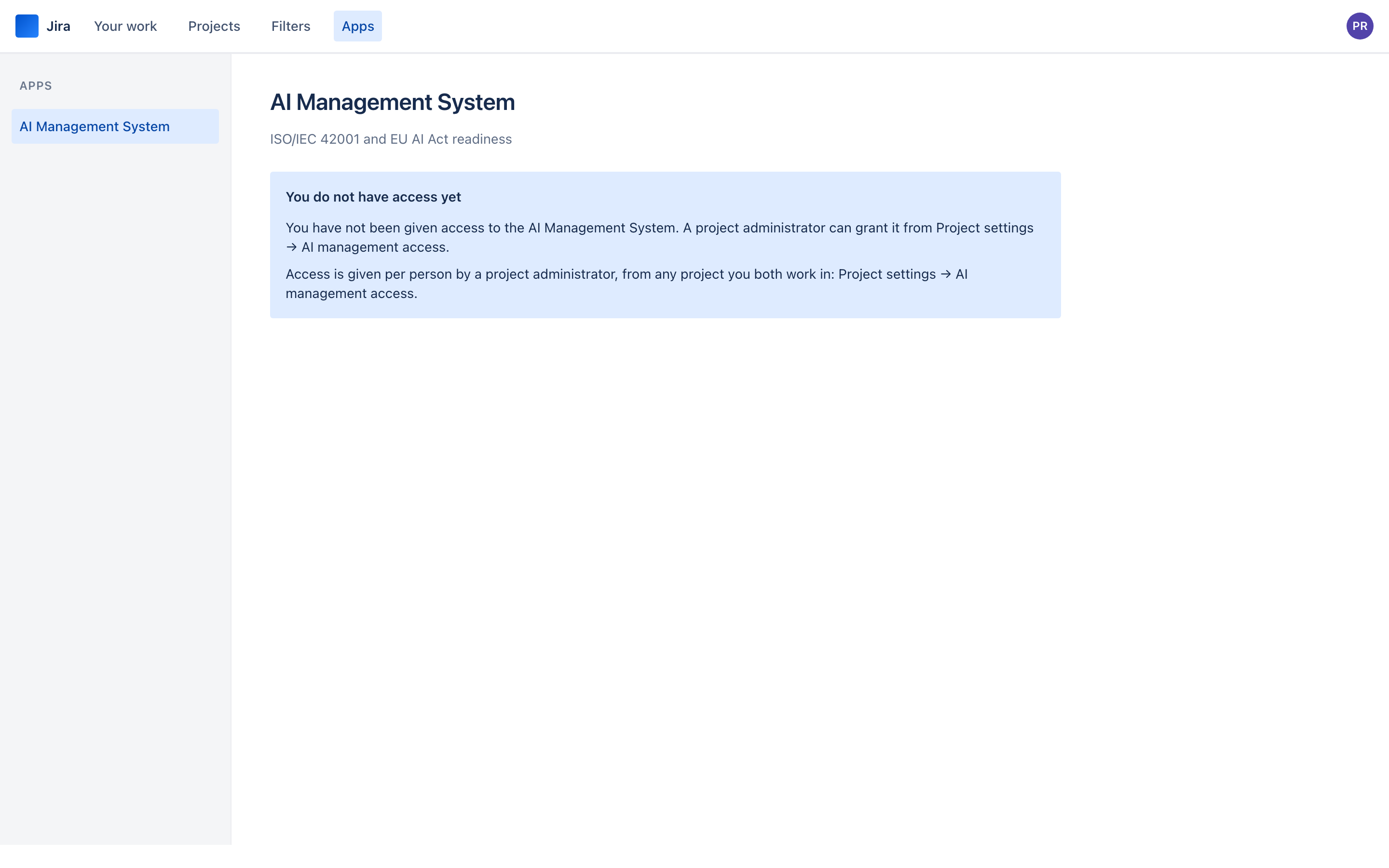
This is the step that surprises people, so it is worth understanding rather than just doing. Nobody but a Jira administrator can see anything until access is granted — and it is granted by a project administrator, from a project they administer, at Project settings → AI management access.
Two levels:
- Contribute — maintains the register, the controls and the evidence, and generates documents. Also deletes systems and evidence records, so give it to people doing the work rather than everyone with an interest.
- Read only — sees everything, changes nothing. The right level for an auditor, a reviewer or an executive who wants to watch the number move.
-
Check the picture
Open Apps → AI Management System. You will see 0% readiness across 65 controls and an empty register, which is correct: nothing has been assessed yet, and the app says so rather than pretending otherwise.
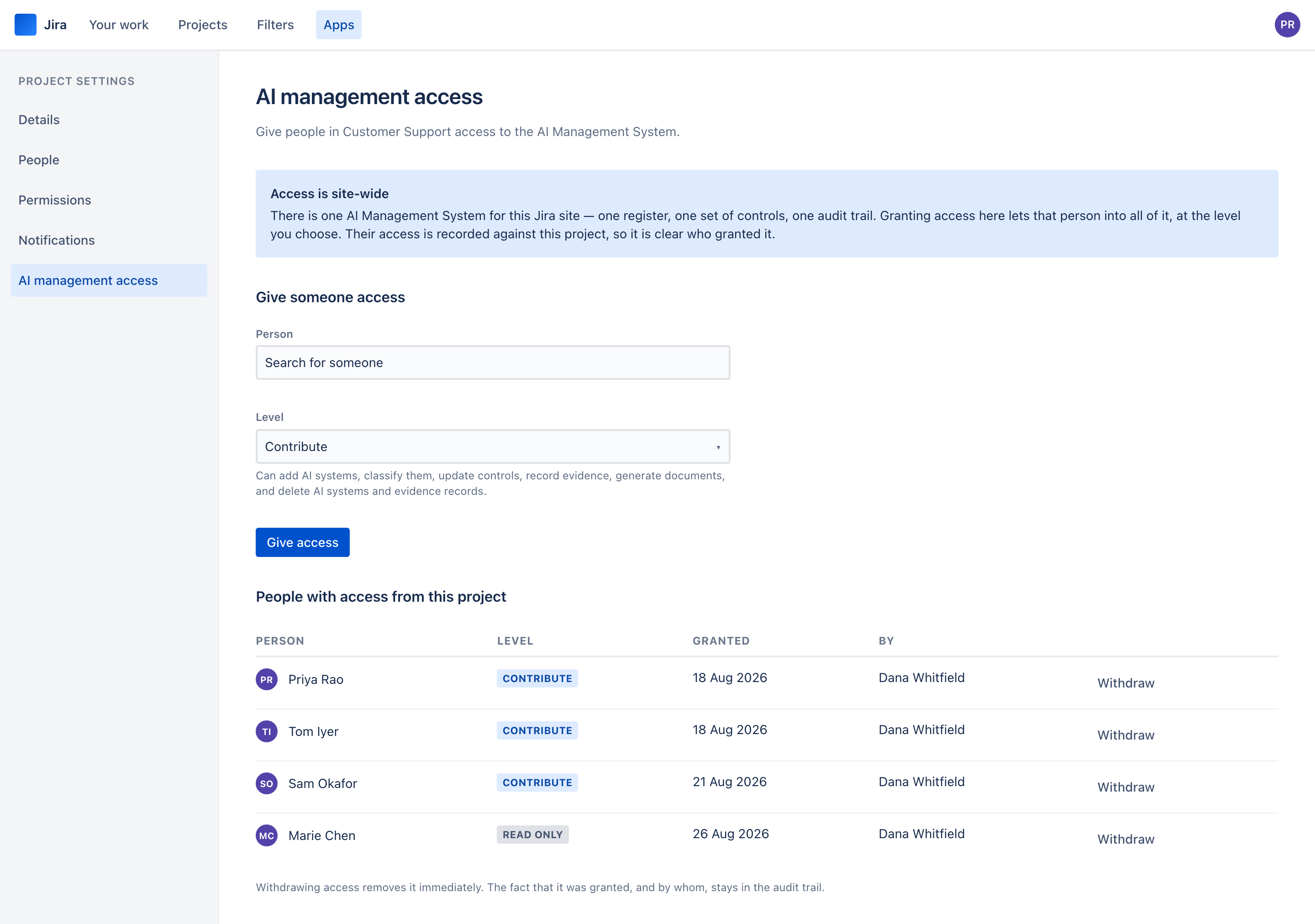
Any project administrator on your site can admit anyone to the whole AI Management System. That is the trade this model makes: access is delegated to the people who already decide who works on what, without handing out site administration.
Two consequences. First, who administers a project becomes a security-relevant setting on your site. Second, every grant records which project it came from and who issued it, and a Jira administrator can see all of them in one place and withdraw any of them. A project administrator cannot grant access to themselves.