Who can see and change what
One AI Management System per Jira site, because an organisation has one AIMS — ISO/IEC 42001 is certified against a scope, not a department. Three levels of access, and one of them comes from Jira rather than from us.
| Can they… | Jira administrator | Contribute | Read only | No grant |
|---|---|---|---|---|
| See the register, controls, evidence and documents | Yes | Yes | Yes | No |
| See the audit trail | Yes | Yes | Yes | No |
| Add and edit AI systems | Yes | Yes | No | No |
| Classify a system against the EU AI Act | Yes | Yes | No | No |
| Change a control's status, owner or notes | Yes | Yes | No | No |
| Record and edit evidence | Yes | Yes | No | No |
| Run the readiness self-assessment | Yes | Yes | No | No |
| Generate a document | Yes | Yes | No | No |
| Delete an AI system or an evidence record | Yes | Yes | No | No |
| Set the organisation name and AIMS scope | Yes | No | No | No |
| See every access grant on the site | Yes | No | No | No |
| Withdraw any grant on the site | Yes | No | No | No |
| Edit or delete anything in the audit trail | No | No | No | No |
Worth saying plainly, because it is the row people miss: somebody with Contribute can permanently delete an AI system or an evidence record. The audit trail keeps the record that they did, but the record itself is gone. Give Contribute to the people doing the work, and Read only to everybody else who wants to watch.
How access is granted
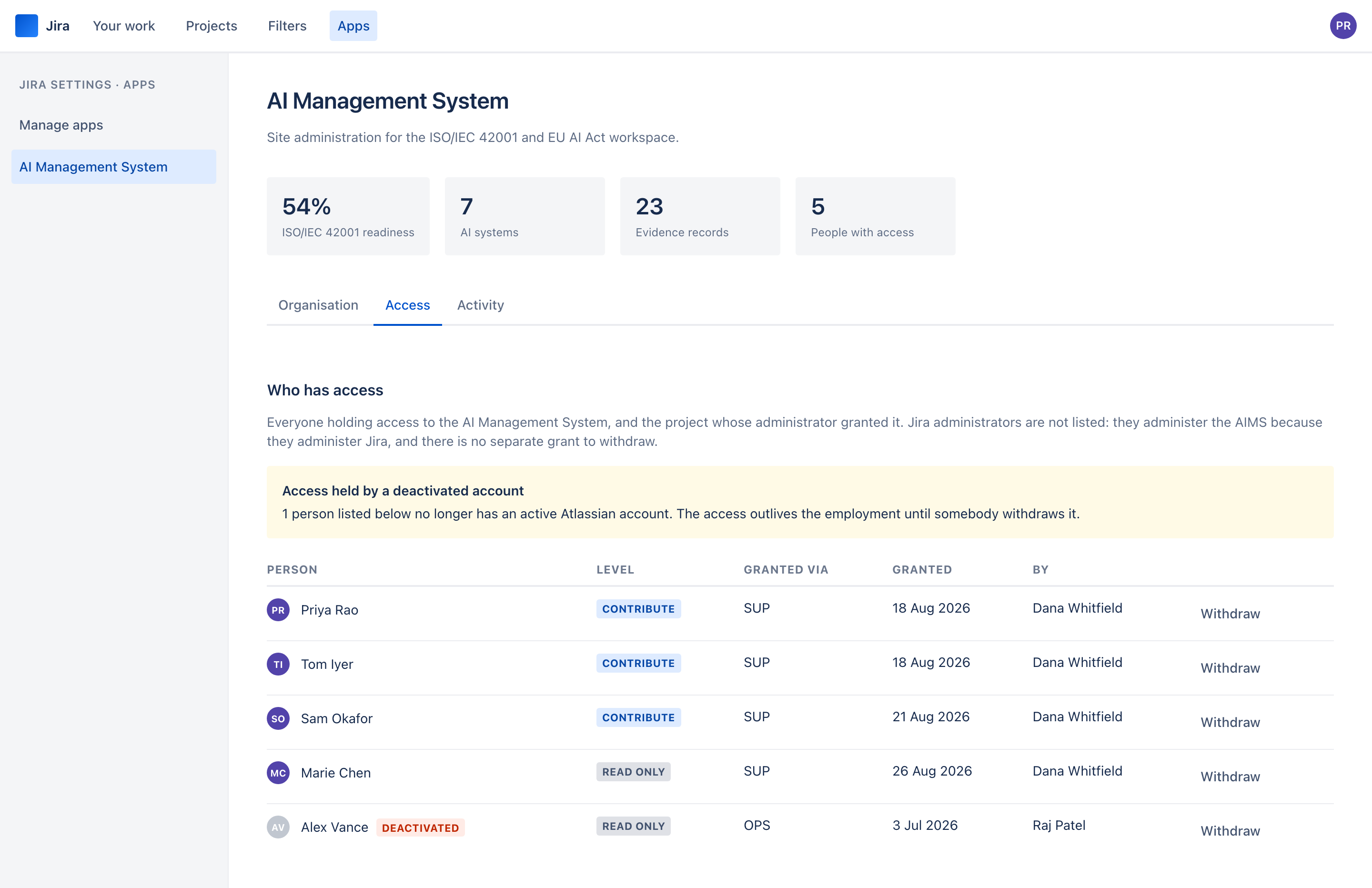
Jira administrators administer the AIMS. There is no separate owner list — one that could quietly drift out of step with who actually administers your site, and one more thing to maintain.
Everyone else holds access because a project administrator granted it, from a project they administer, at Contribute or Read only. Not from a central screen only a site admin can reach: from the project where the person already works, by the person who already decides who works on what.
Someone granted from two projects holds the stronger of the two levels, because the register is site-wide — there is no slice one grant could show and the other hide.
The trust boundary, stated plainly
Any project administrator on your site can admit anyone to the whole AI Management System. That is the model, not a gap in it: the alternative was routing every request through a Jira administrator, which is the thing delegation exists to avoid.
Three things follow, and you should know all three before you install it:
- Who administers a project is a security-relevant setting on your site. If project administration is loosely held, so is access to this.
- A project administrator cannot grant access to themselves. They hand it out; a Jira administrator gives it to them.
- Every grant is on the record — who, what level, from which project, when — and a Jira administrator can see and withdraw all of them from one screen.
Two project administrators can still grant each other access. The rule removes the one-person path, not collusion, and it would be dishonest to claim otherwise.
What an auditor sees
Give them Read only. They see the register, every control and its history, the evidence, the documents and the full audit trail — and they cannot change any of it, which is as much a protection for them as for you.
The Roles & Responsibilities document generates from the grant records, so "who has access to your AI Management System, and who authorised it" is a document rather than an email thread.
See it on your own Jira site
The Marketplace listing is not published yet, so there is nothing to link to. Email us and we will tell you the day there is.