The whole app, in the order you would meet it. Nothing here is behind a demo request.
These are illustrations, not photographs
The app is an Atlassian Forge app — its screens are rendered by Atlassian's own UI Kit
inside Jira, so until it is installed on a site there is nothing to photograph. These
images are built from the app's real component structure and its real wording, so they are
accurate about what it does and how it reads. They will be replaced with captures from a
live installation as soon as there is one.
The workspace
Apps → AI Management System. Seven tabs, one page.
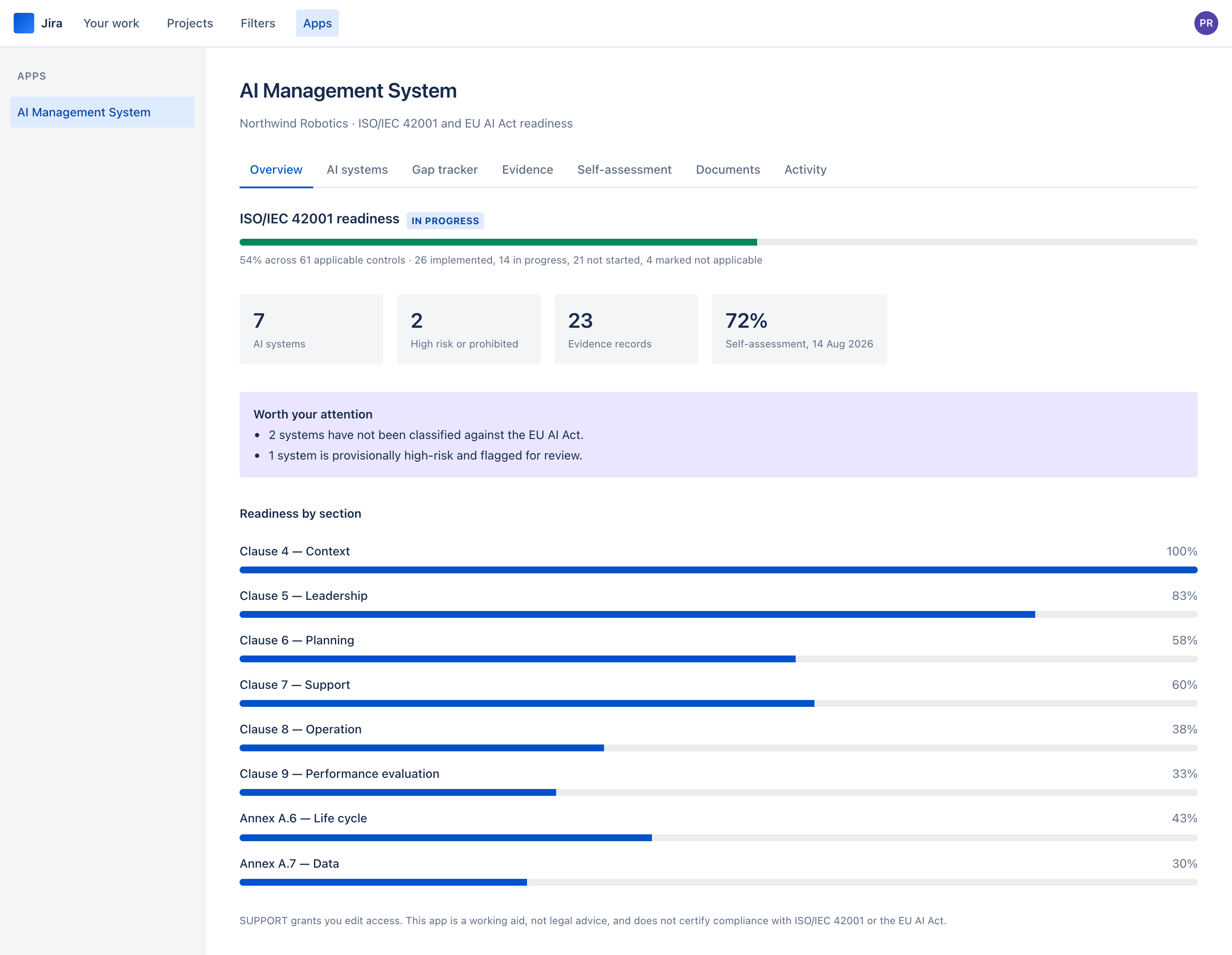
IllustrationOverview — one readiness figure, what needs attention, and a breakdown by ISO/IEC 42001 section.
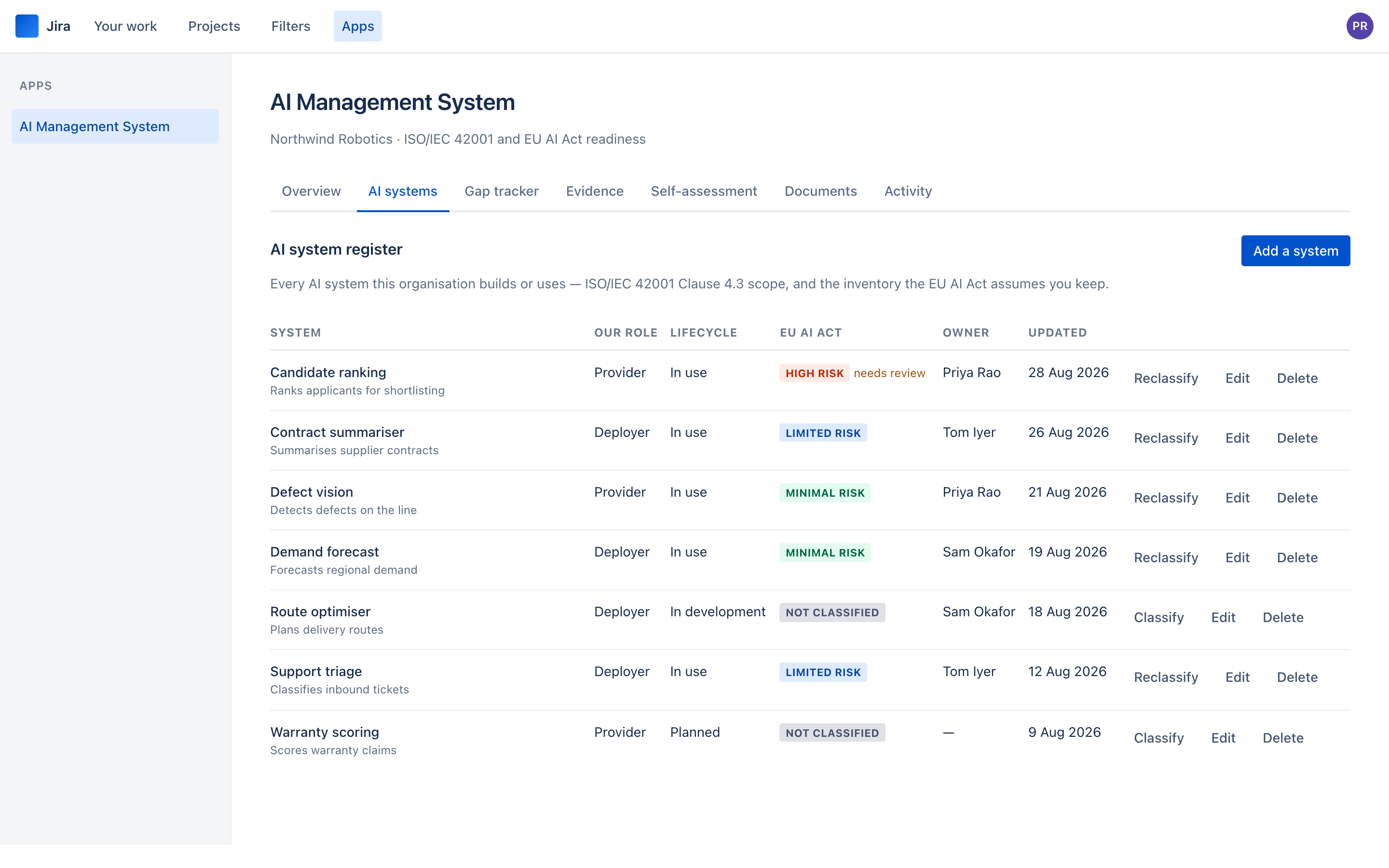
IllustrationThe AI system register — role, lifecycle and EU AI Act tier for every system.
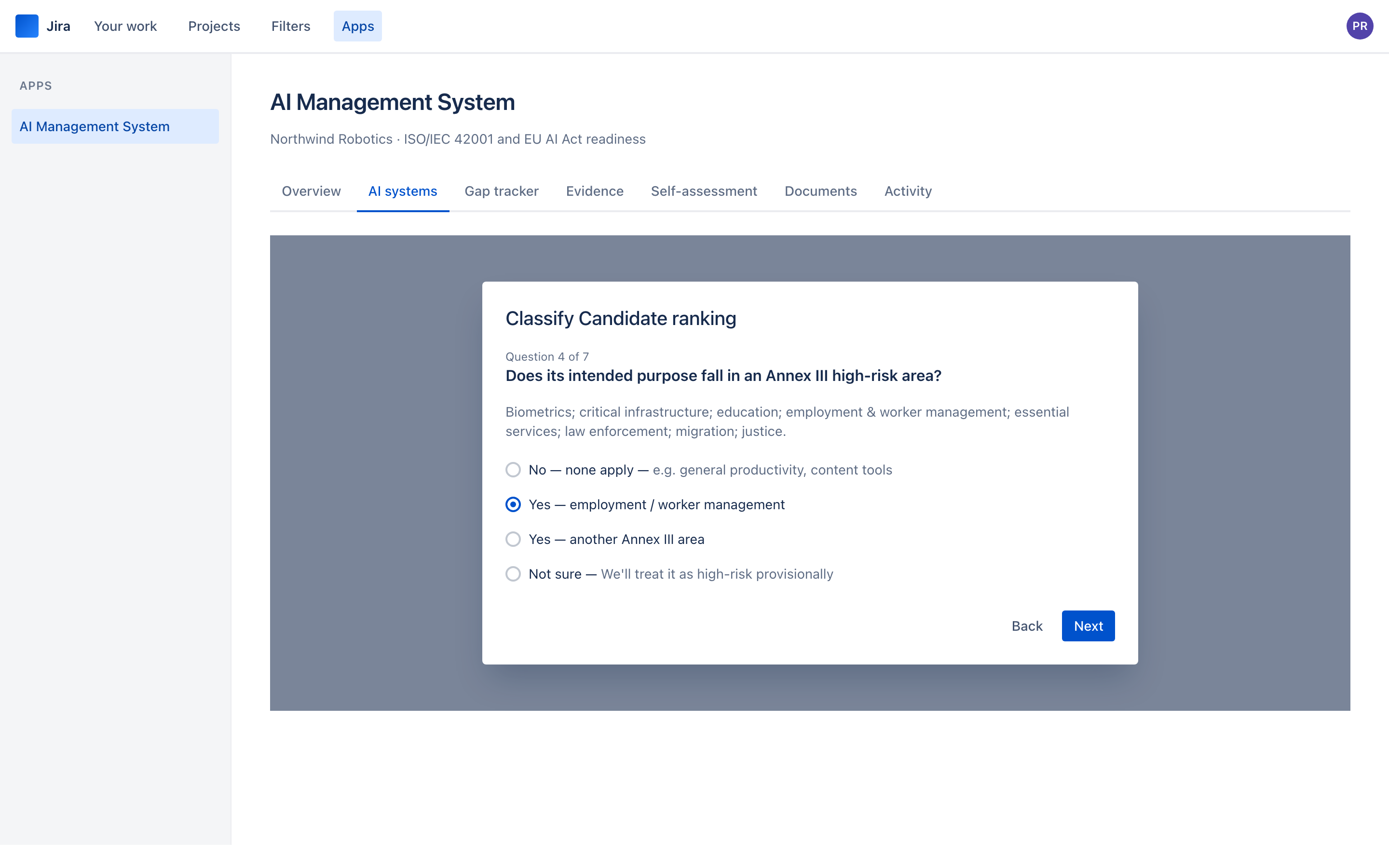
IllustrationThe classification wizard — one question at a time, with plain-language help.
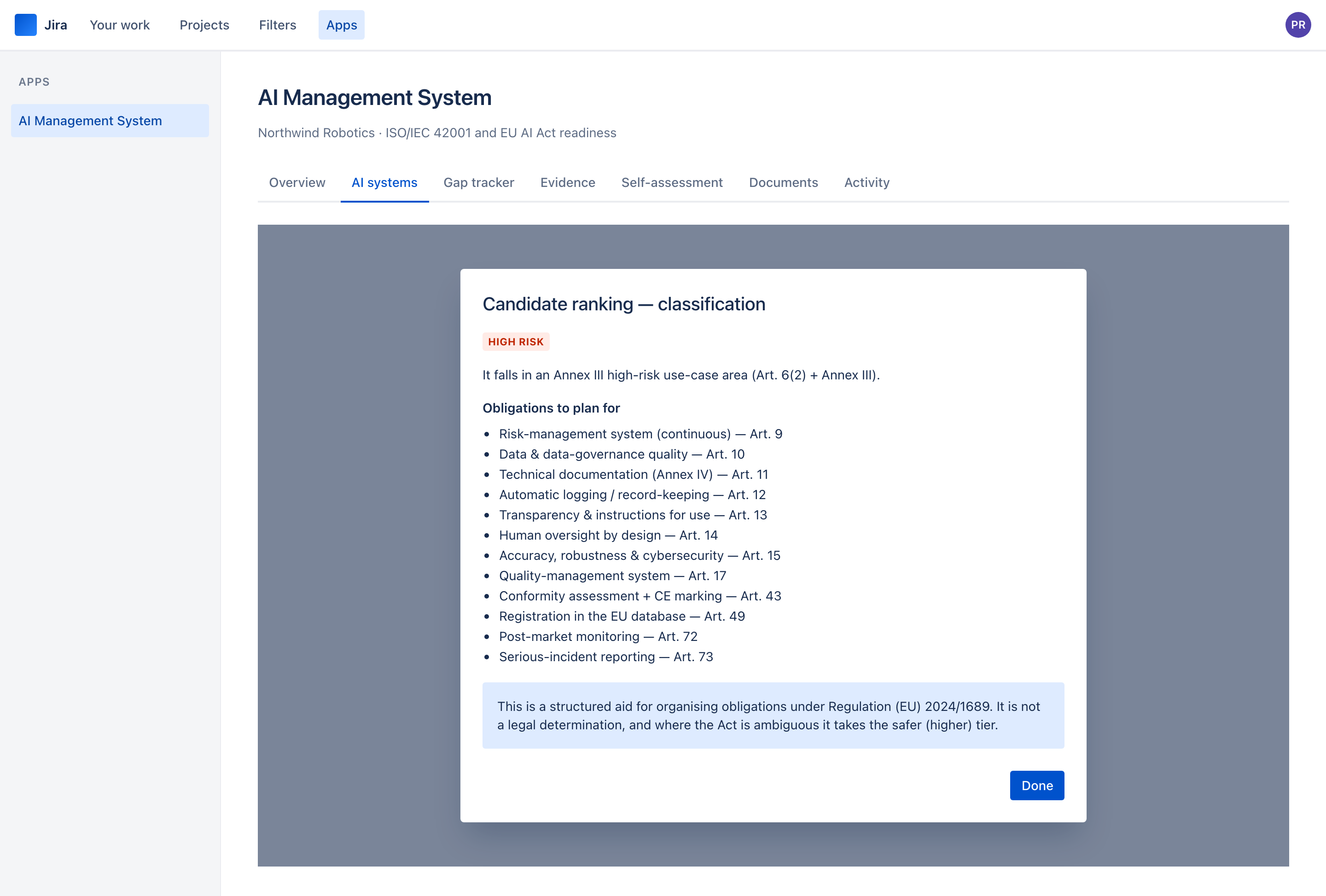
IllustrationThe classification result — tier, reasoning, and every obligation with its article.
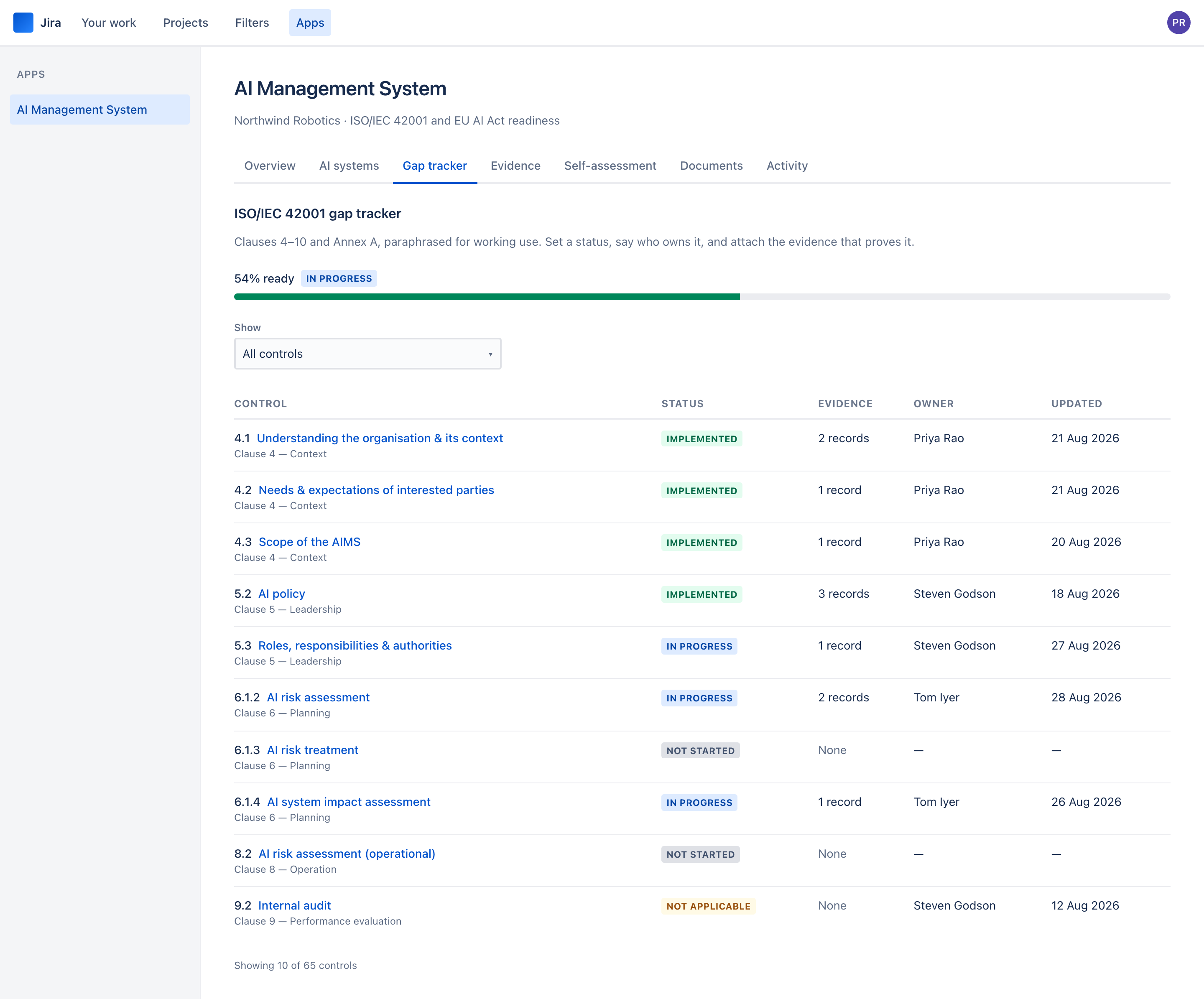
IllustrationThe gap tracker — 65 controls, filterable, with evidence counts and owners.
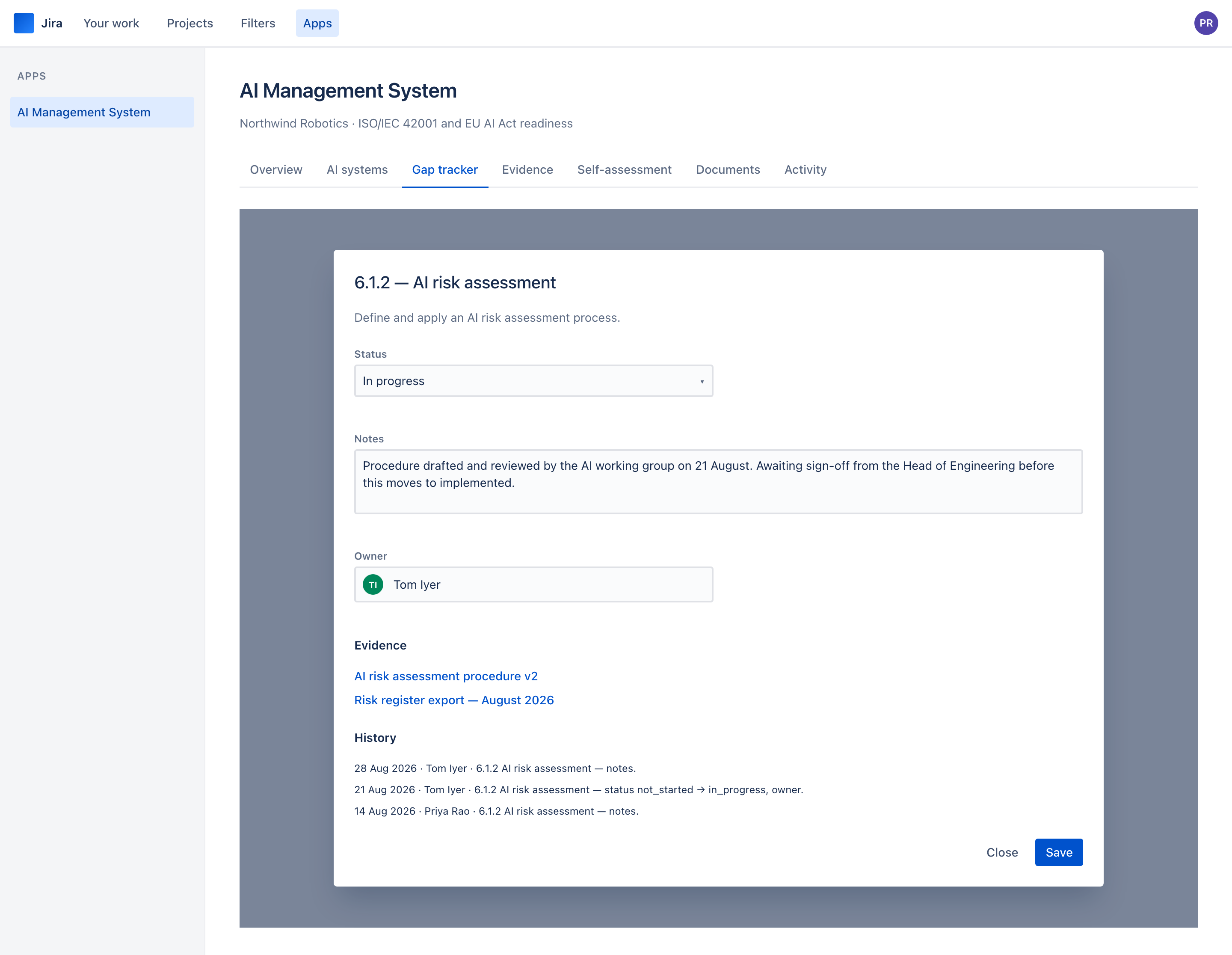
IllustrationA control, opened — status, notes, owner, evidence and an append-only history.
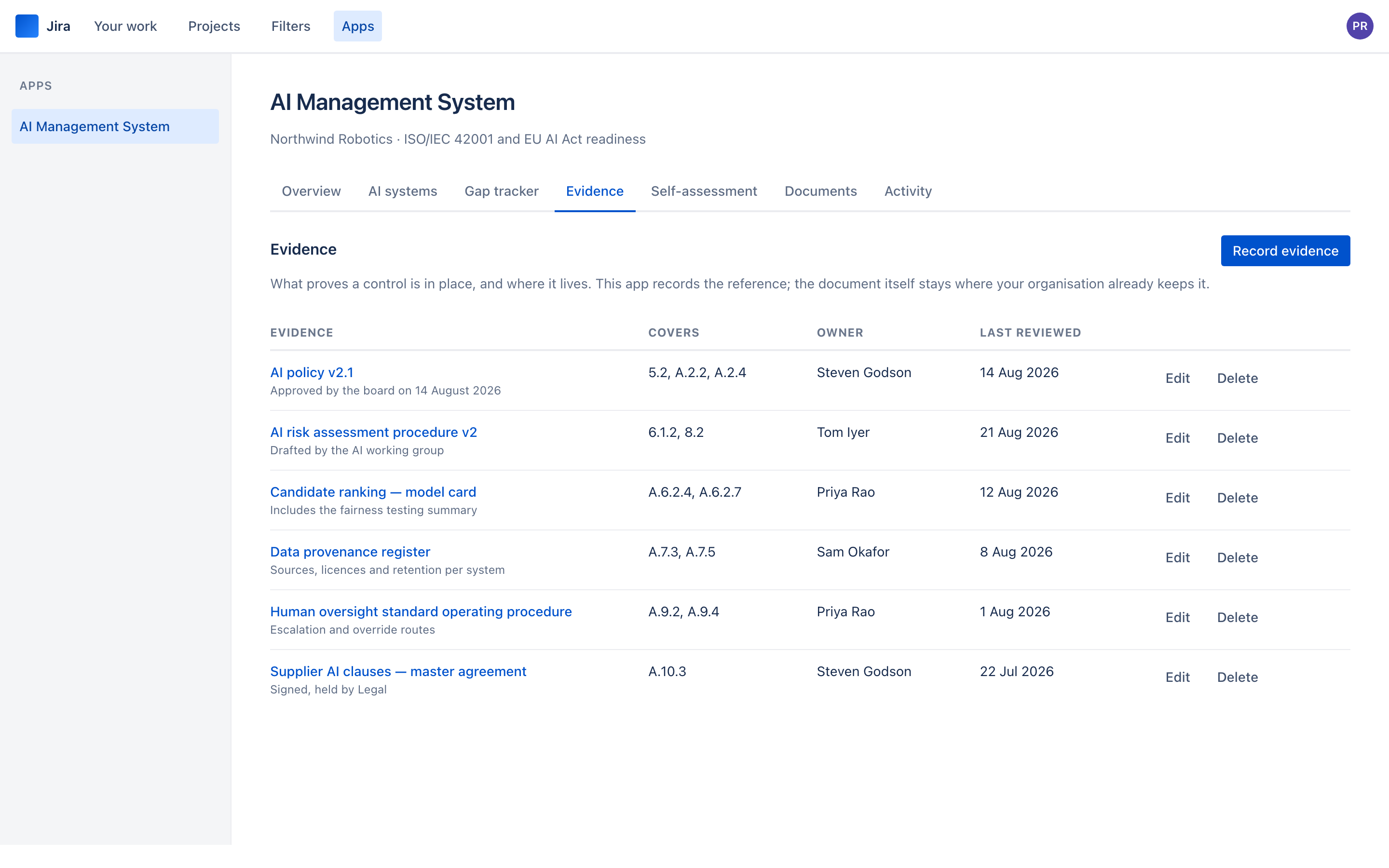
IllustrationThe evidence register — what proves each control, and where it lives.
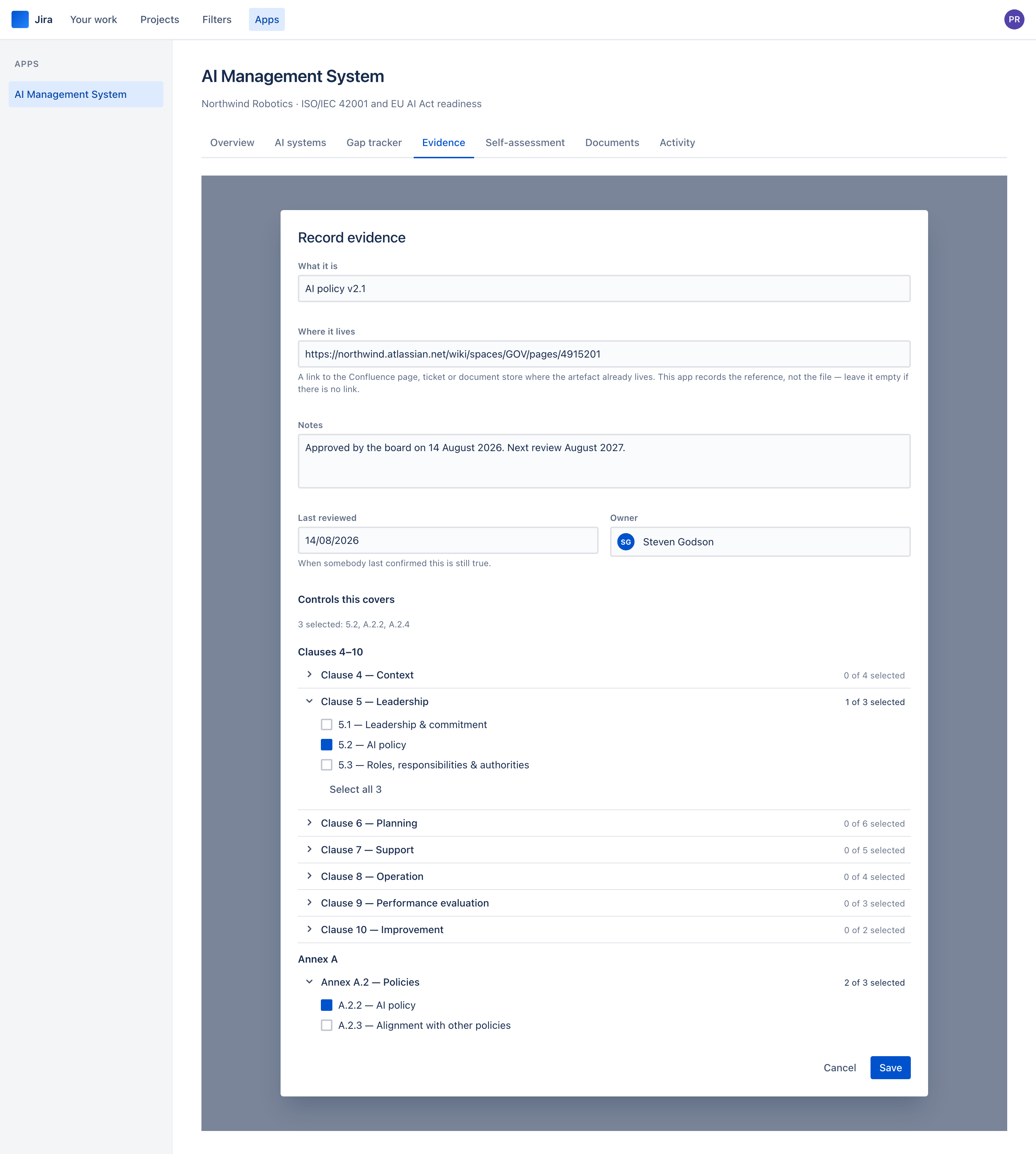
IllustrationRecording evidence — controls grouped by clause and Annex A section, and a form that says plainly no file is stored.
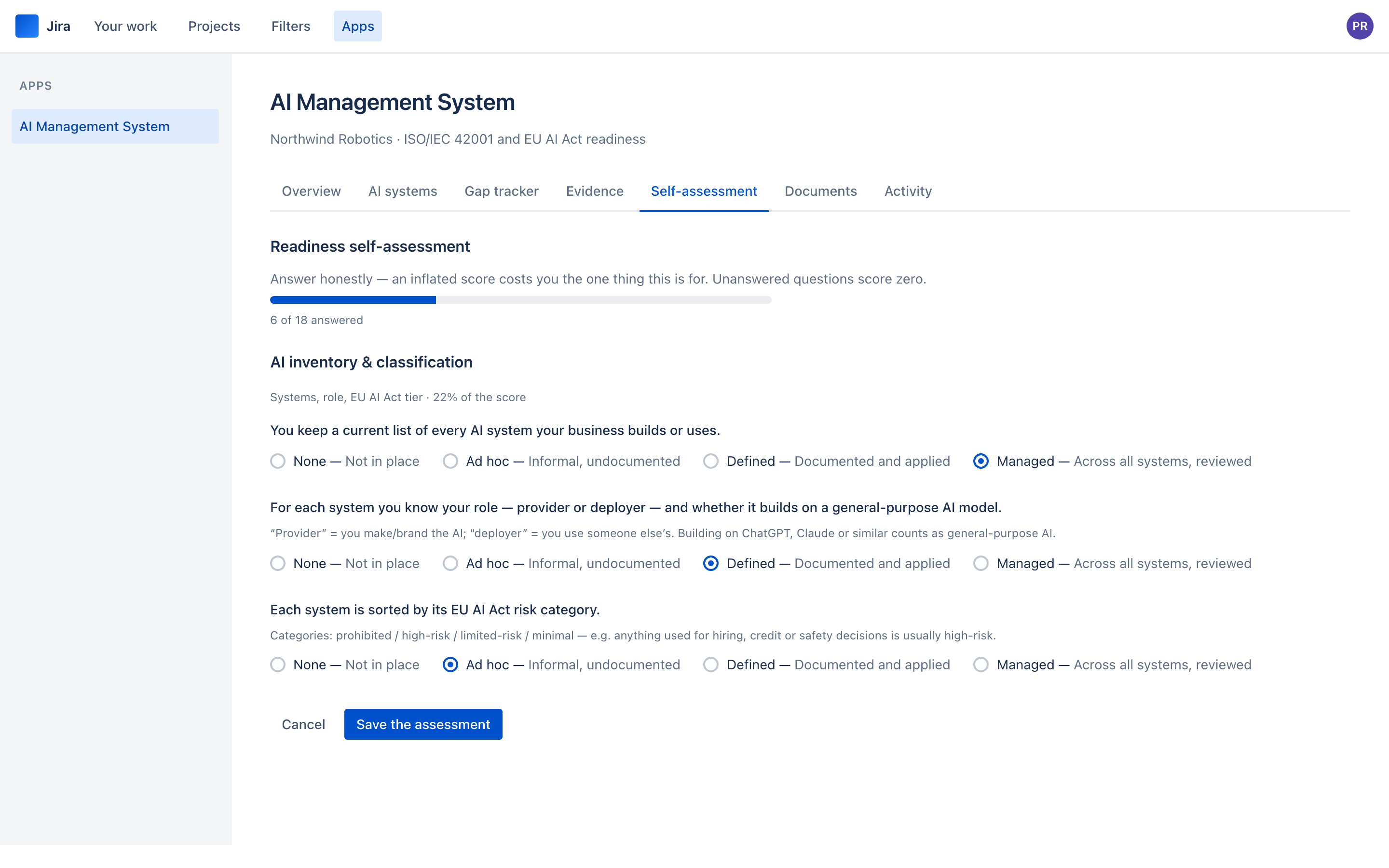
IllustrationThe self-assessment — 18 questions across six weighted domains.
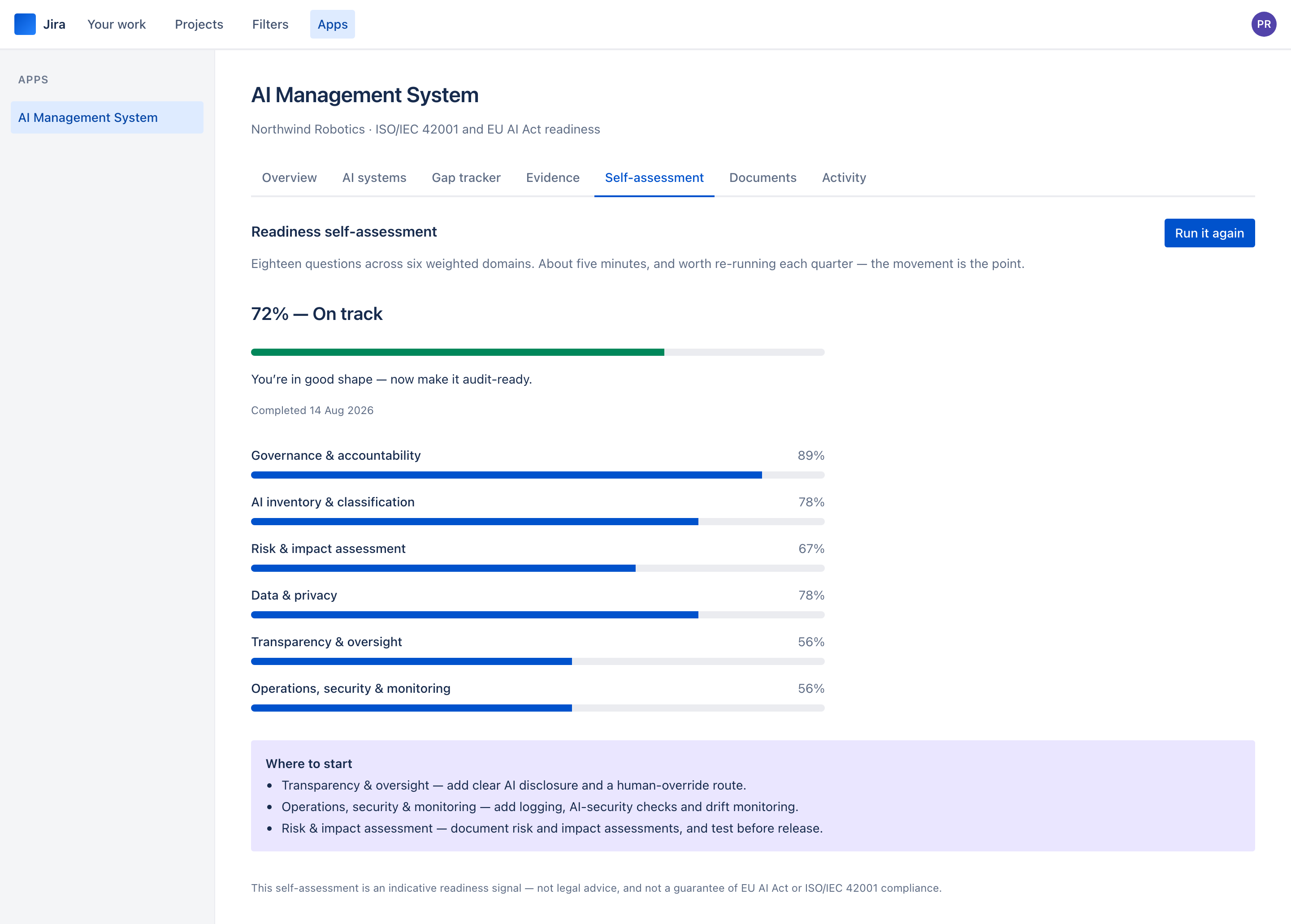
IllustrationThe result — a weighted score, the domains ranked, and where to start.
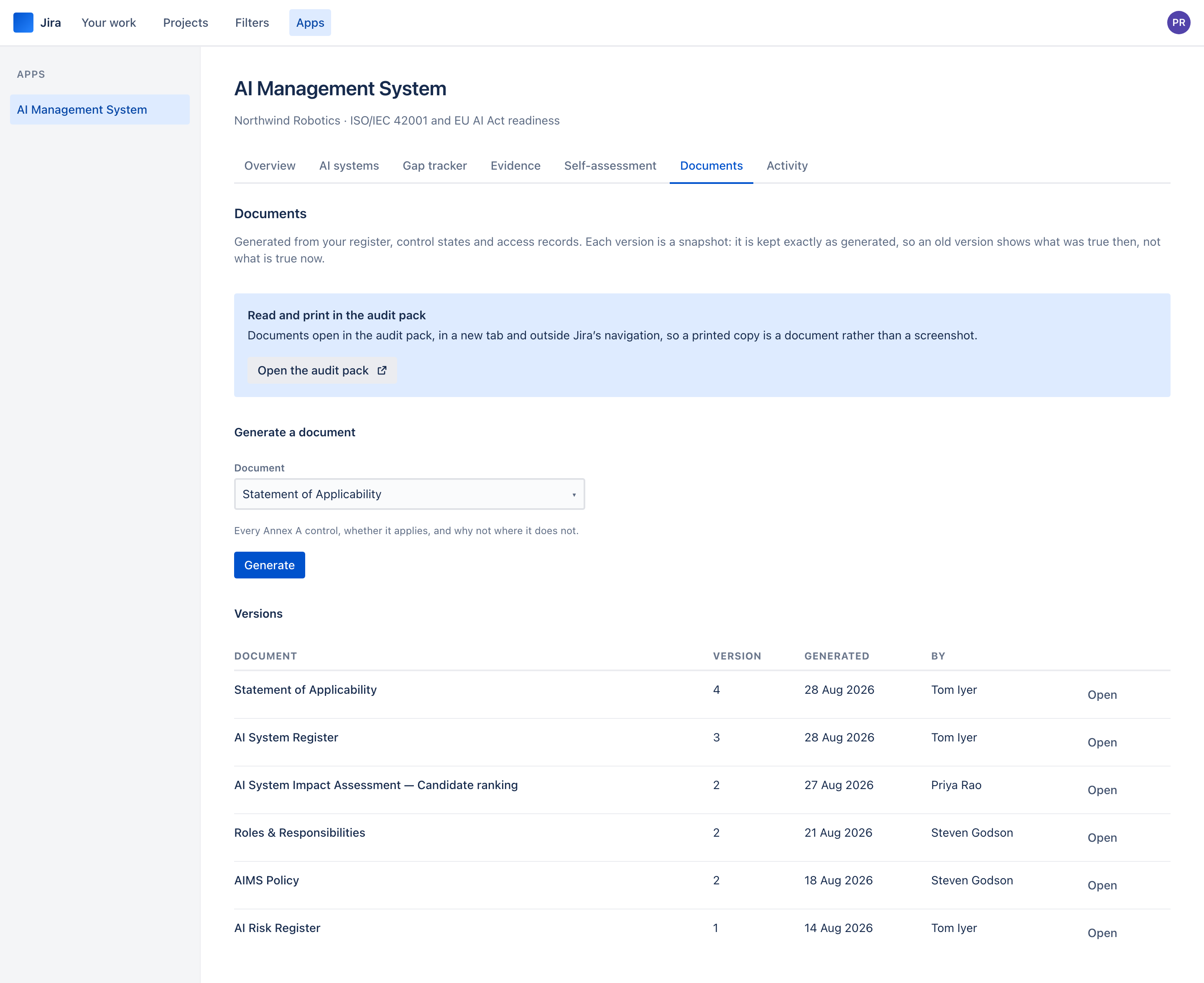
IllustrationDocuments — generate, version, and open any version in the audit pack.
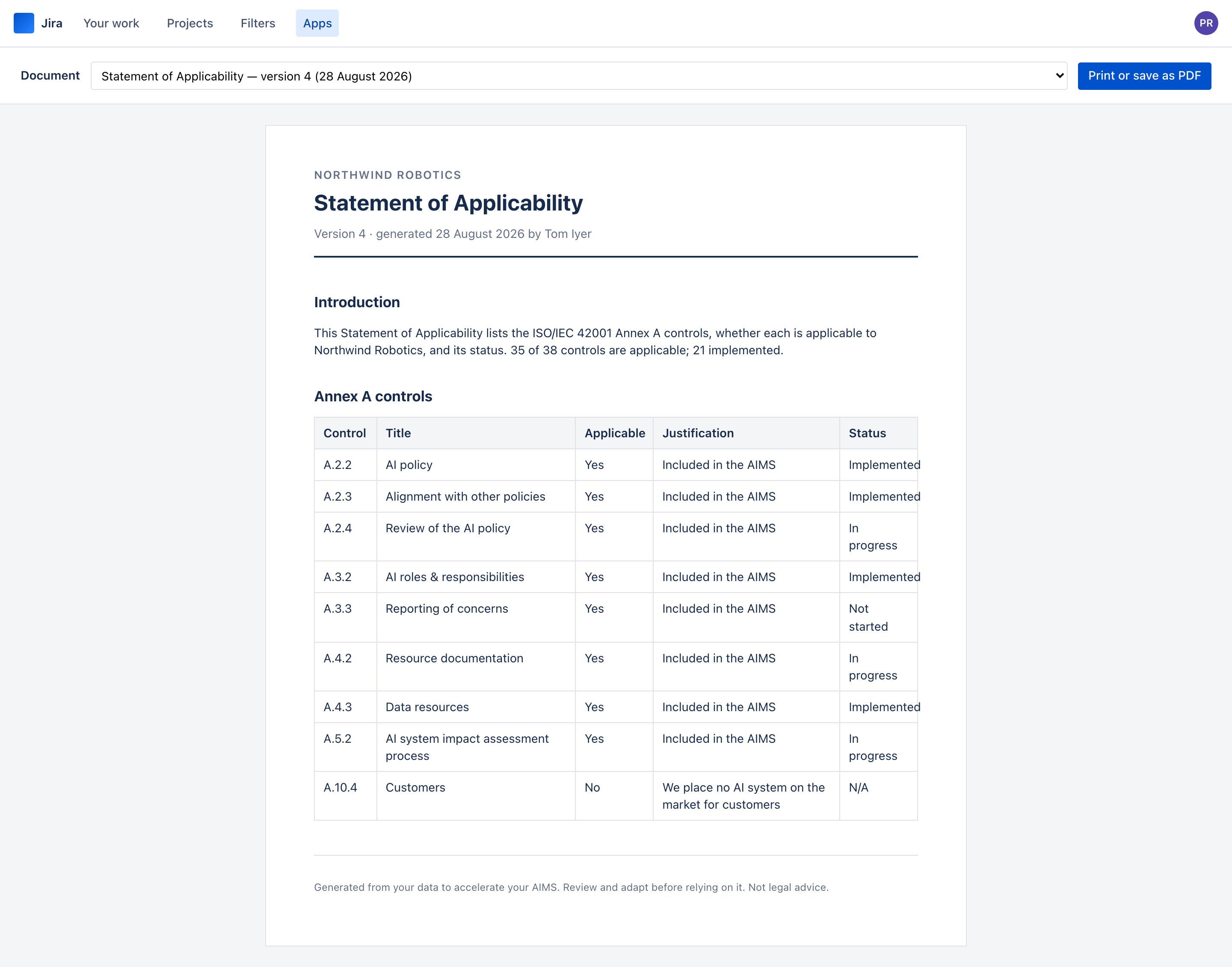
IllustrationA generated document in the audit pack. Print it, or save it as a PDF.
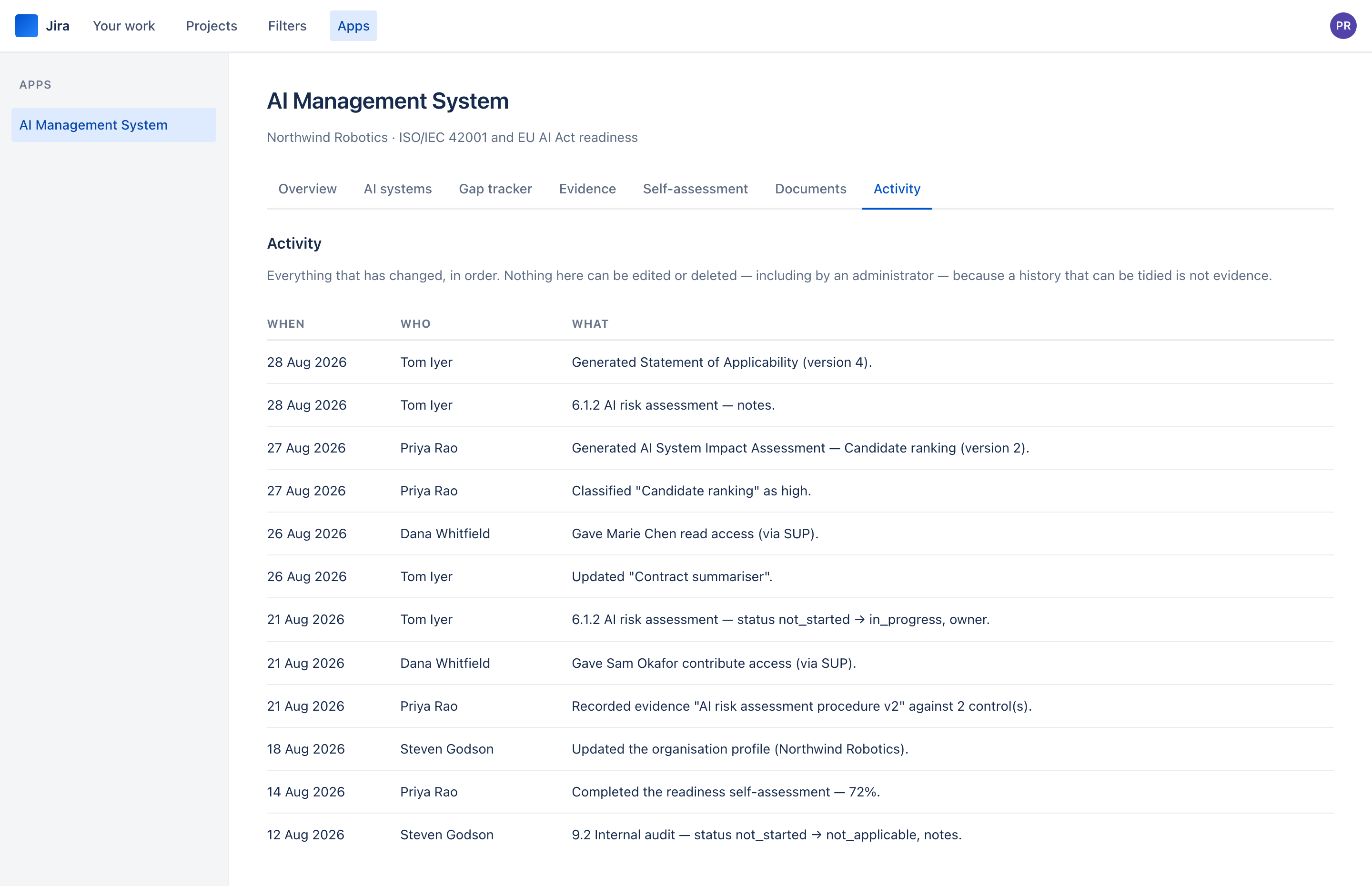
IllustrationThe audit trail — one feed, in order, and nobody can edit it.
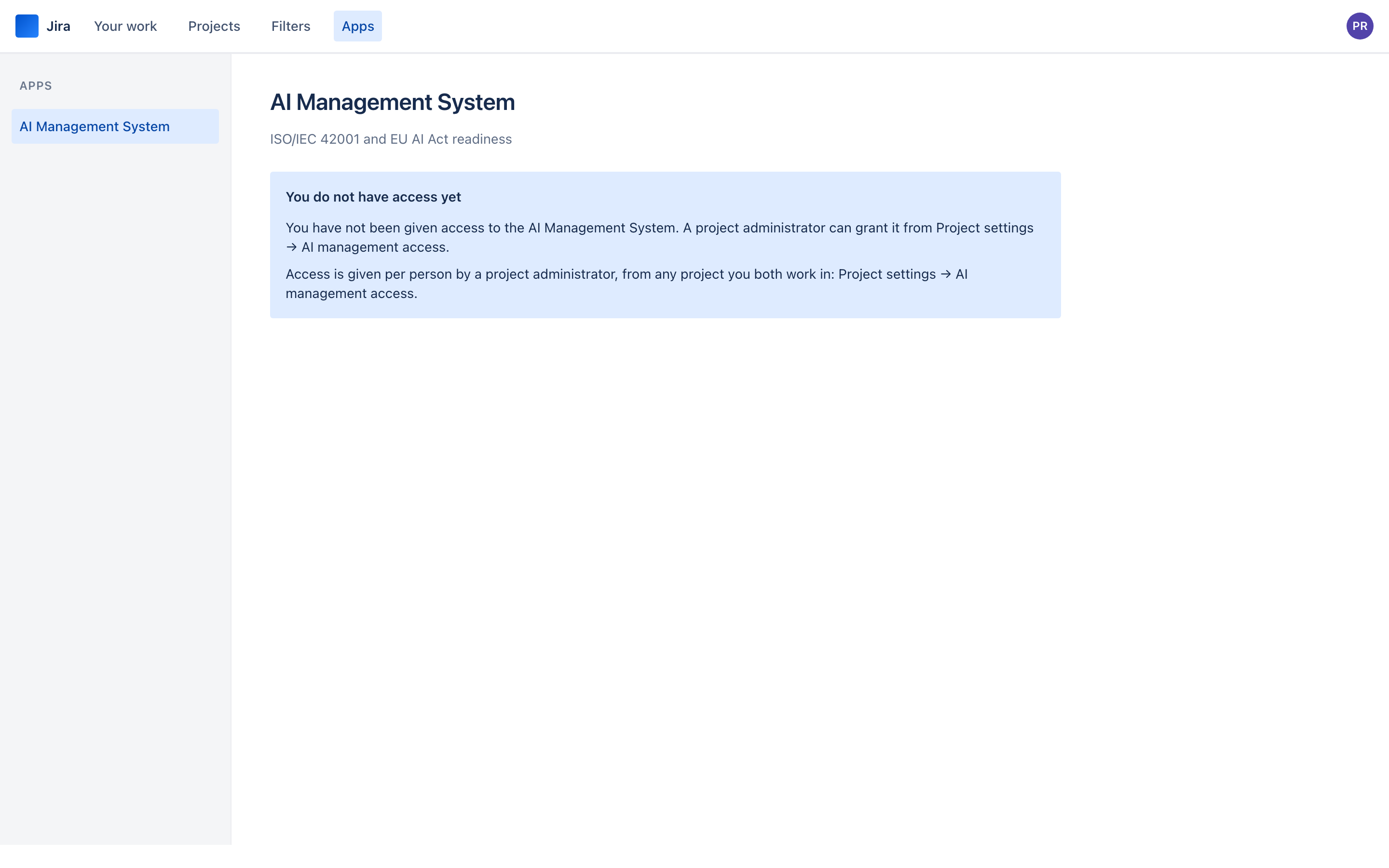
IllustrationWhat somebody without a grant sees. An explanation, never an empty register.
Granting access
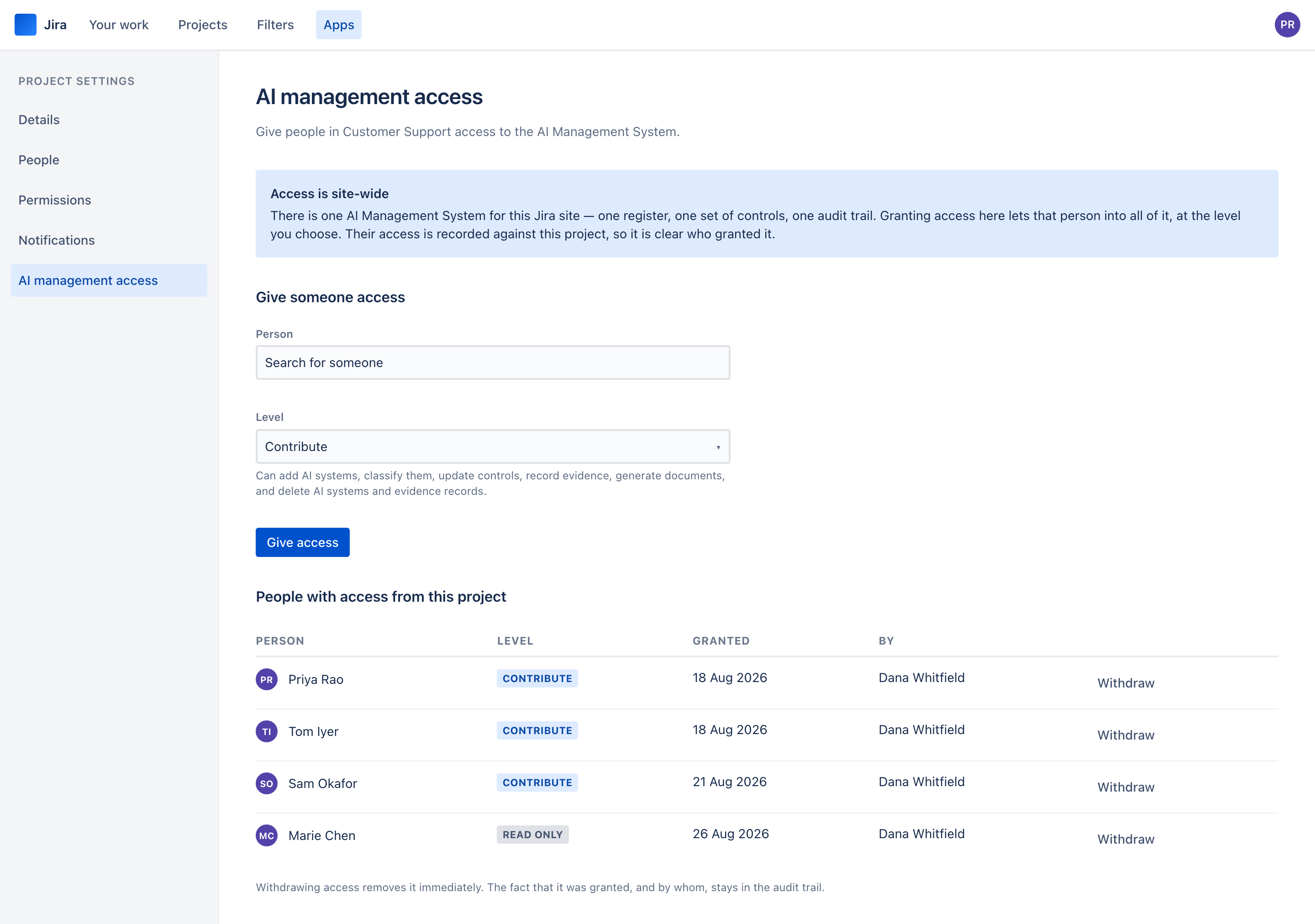
Project settings → AI management access. Where a project administrator gives their people access.
IllustrationThe grant page — a person, a level, and a list of who already has it.
Site administration
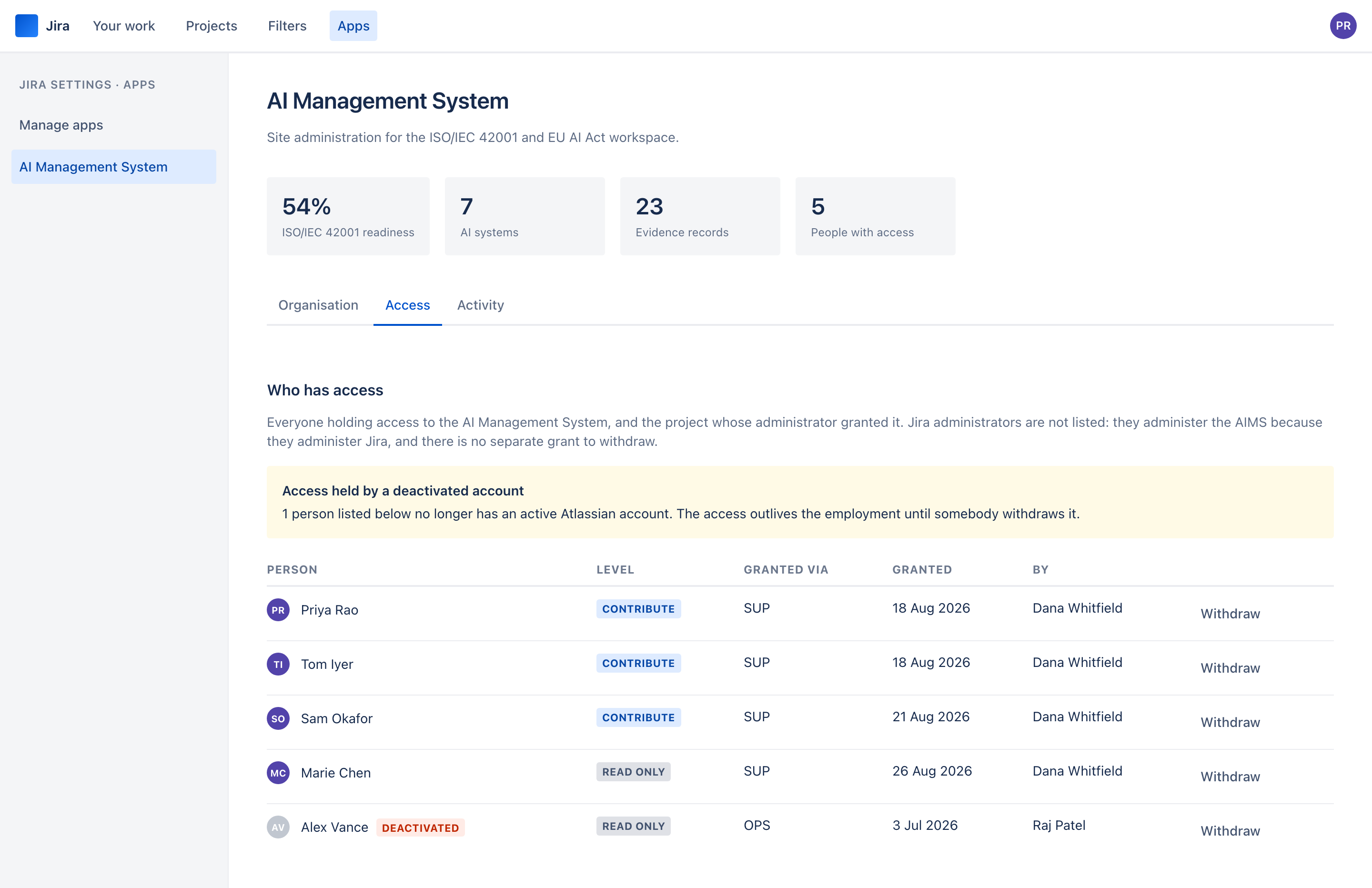
Jira settings → Apps → AI Management System. For Jira administrators.
IllustrationEvery grant on the site, with the project it came from and who issued it.