Prove it
The work is only worth what you can show. This part is about turning the state of the app into three things: a number for your board, a document set for a customer's security reviewer, and a defensible position for an auditor.
Run the self-assessment
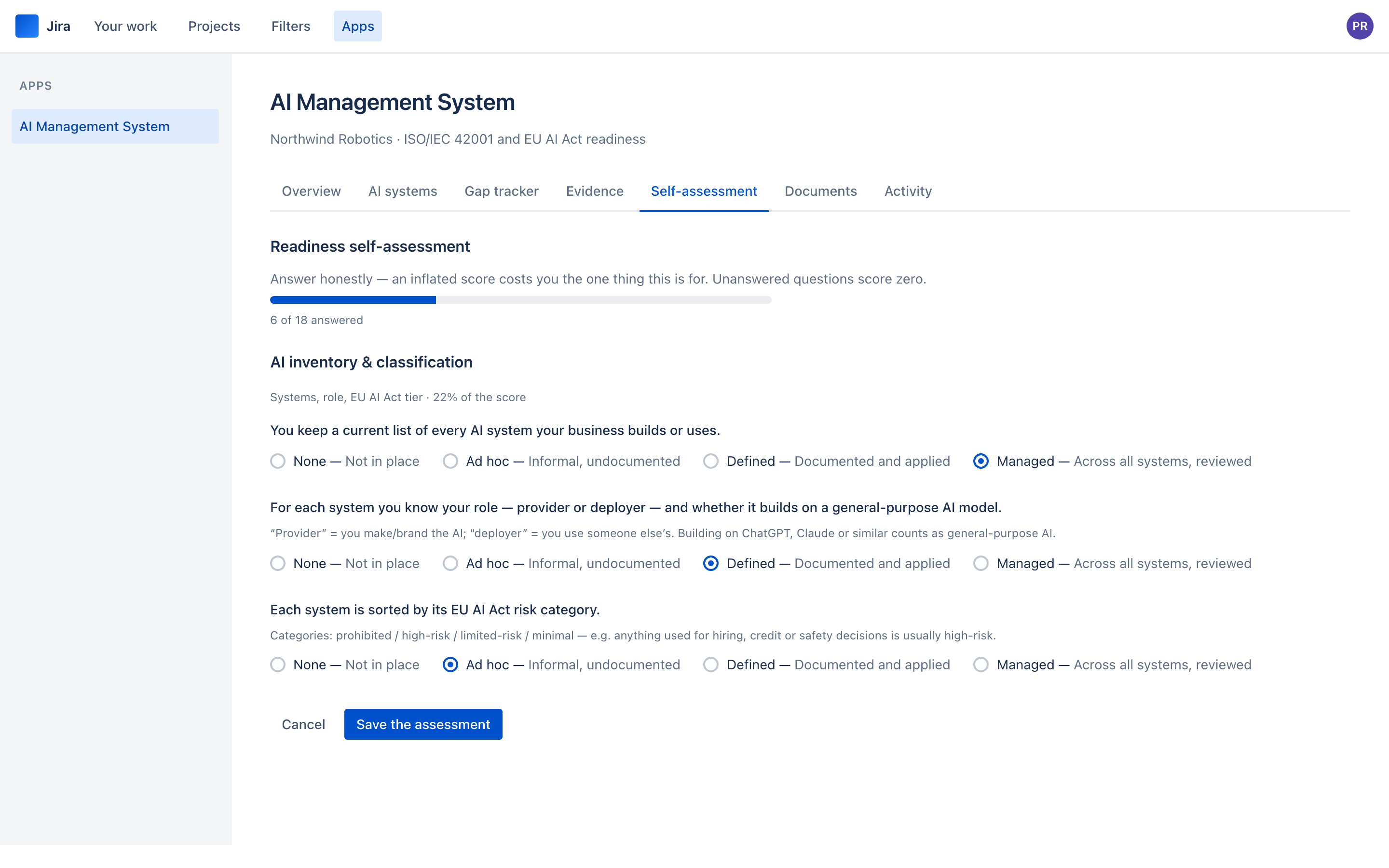
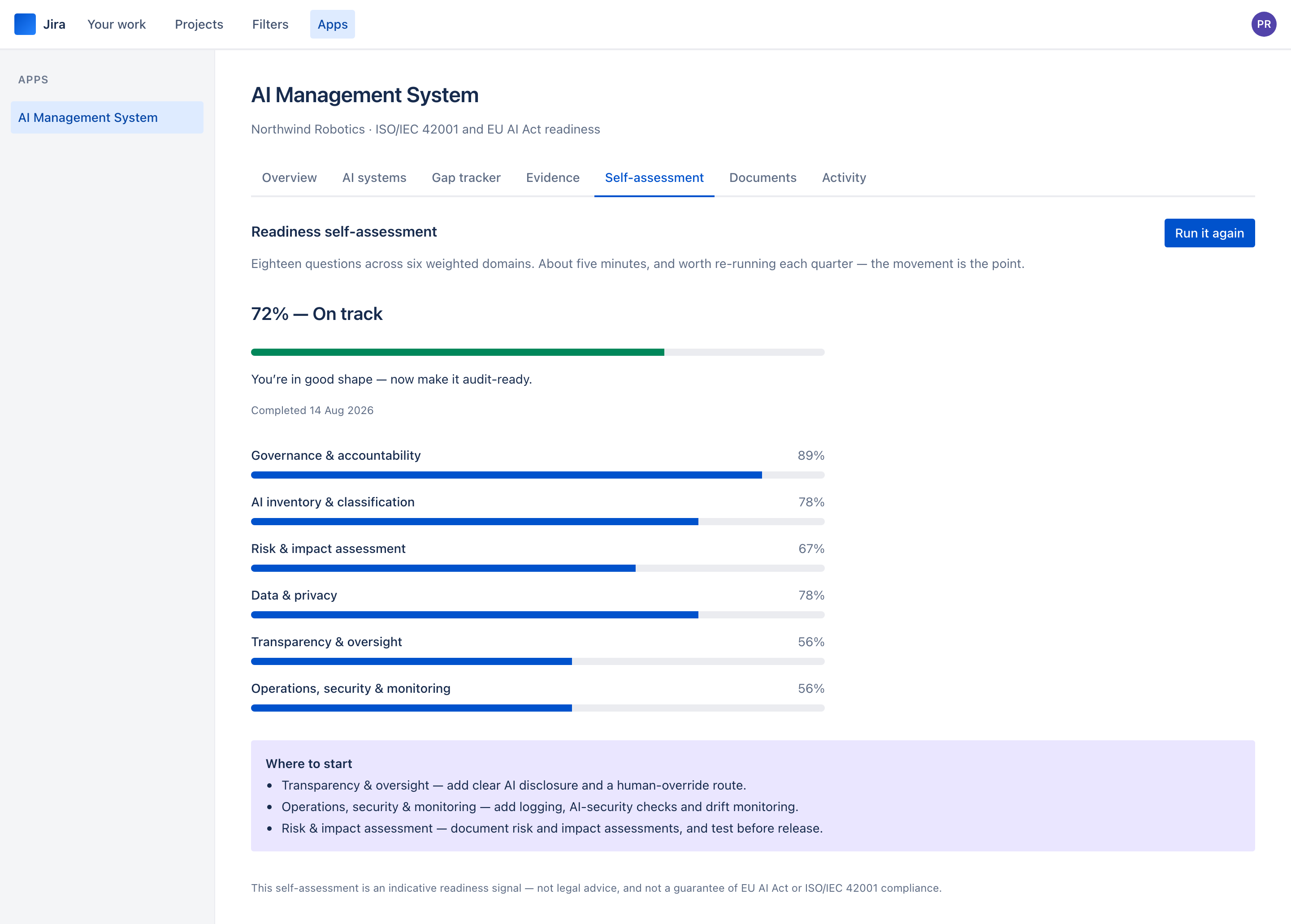
18 questions, 6 domains, about five minutes. It is separate from the gap tracker on purpose: the tracker measures whether controls are in place, and the assessment measures how mature your practice is. You can have a policy for everything and still be answering "ad hoc" to most of it.
Answer honestly. The four levels mean specific things:
- None — not in place.
- Ad hoc — informal, undocumented. Somebody does it when they remember.
- Defined — documented and applied.
- Managed — across all systems, and reviewed.
An inflated score costs you the one thing this is for. Nobody sees it but you until you choose to show it, and a 45% you believe is worth more than a 78% you do not.
Generate the documents
Do this when the register and the tracker are in a state you would show somebody — not before. Every version is kept forever, so a pack generated from a half-finished tracker is a permanent record of a half-finished tracker.
The order that makes sense the first time:
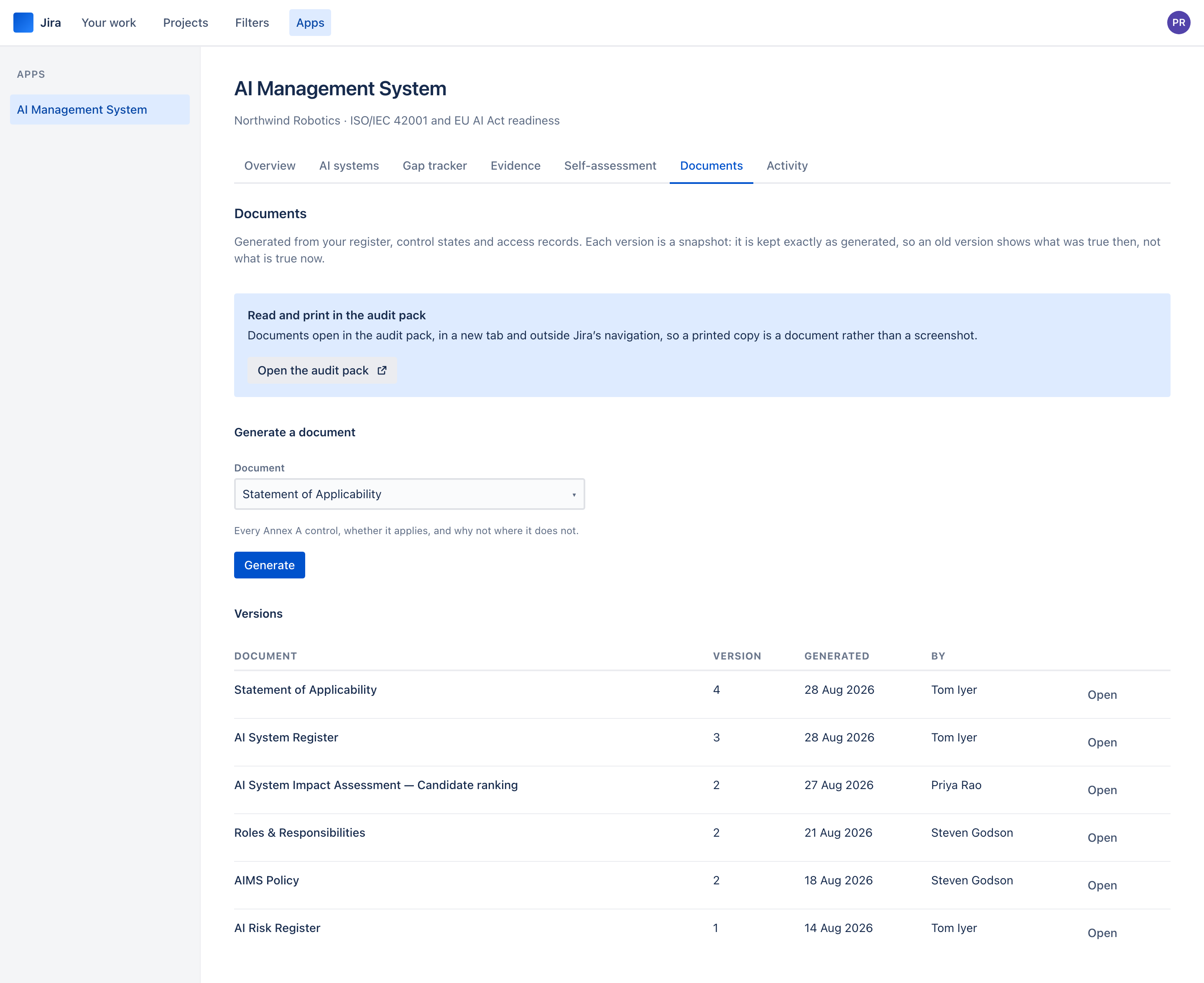
- AI System Register — the shortest, and the one most customer security reviews actually ask for.
- Statement of Applicability — the Annex A controls with your applicability decisions. The document an ISO auditor opens first.
- AIMS Policy — generated with your scope and your systems in it. Treat it as a strong draft: read it, adapt it, and get it approved by whoever approves policy.
- Roles & Responsibilities — who holds what access and who granted it, straight from the grant records.
- AI Risk Register — the risks your classifications imply.
- AI System Impact Assessment — one per high-risk system. Clause 6.1.4 and Article 27 both assume one document per system, not one for the estate.
Printing and sharing
Documents are read and printed in the audit pack. Open it from the Documents tab — Open the audit pack, or Open beside any version — and it opens in a new tab, outside Jira’s navigation, with a print stylesheet. So Print — or Save as PDF — gives you a document rather than a screenshot of a tool: page margins, repeated table headers on long tables, no headings stranded at the foot of a page.
Each version has its own address in the audit pack, so a colleague with access can open exactly the one you mean. There is no public link, deliberately: the document lives inside your Jira, and what you send a customer is a PDF you have looked at.
Generated documents are drafts assembled from your data. They carry a disclaimer saying so. The AIMS Policy in particular is a skeleton with your details filled in — it needs a human to make it yours before it is approved by anybody.
The audit trail
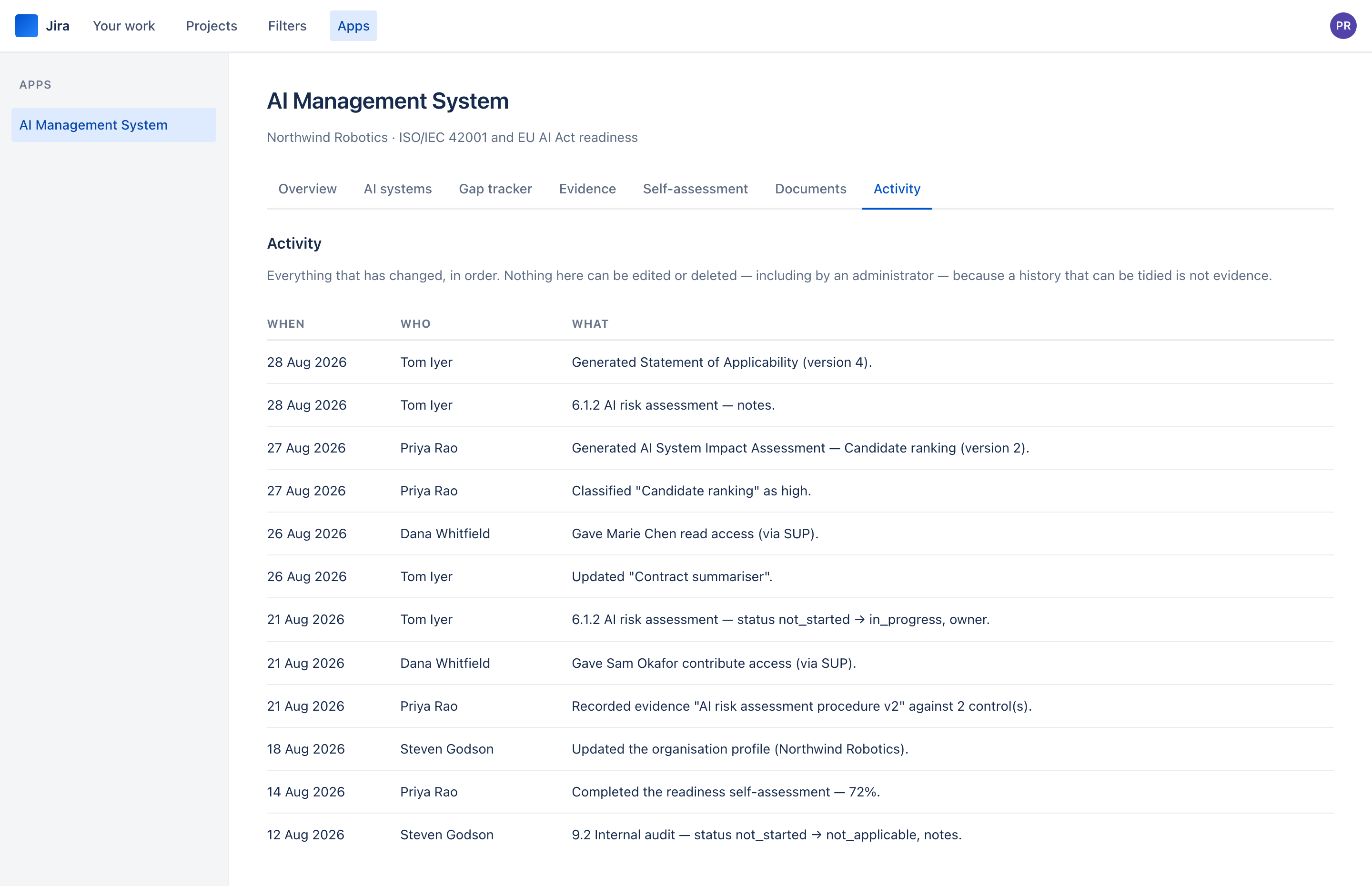
The Activity tab is one feed of everything: control changes, classifications, evidence, document generation, and every grant and withdrawal of access. Together and in order, because splitting them is how "somebody was given edit access on Friday" becomes invisible beside "a control moved to implemented".
This is what answers the audit question nobody prepares for: not "is the control in place?" but "how do I know it has been in place since you said it was?"
See it on your own Jira site
The Marketplace listing is not published yet, so there is nothing to link to. Email us and we will tell you the day there is.